
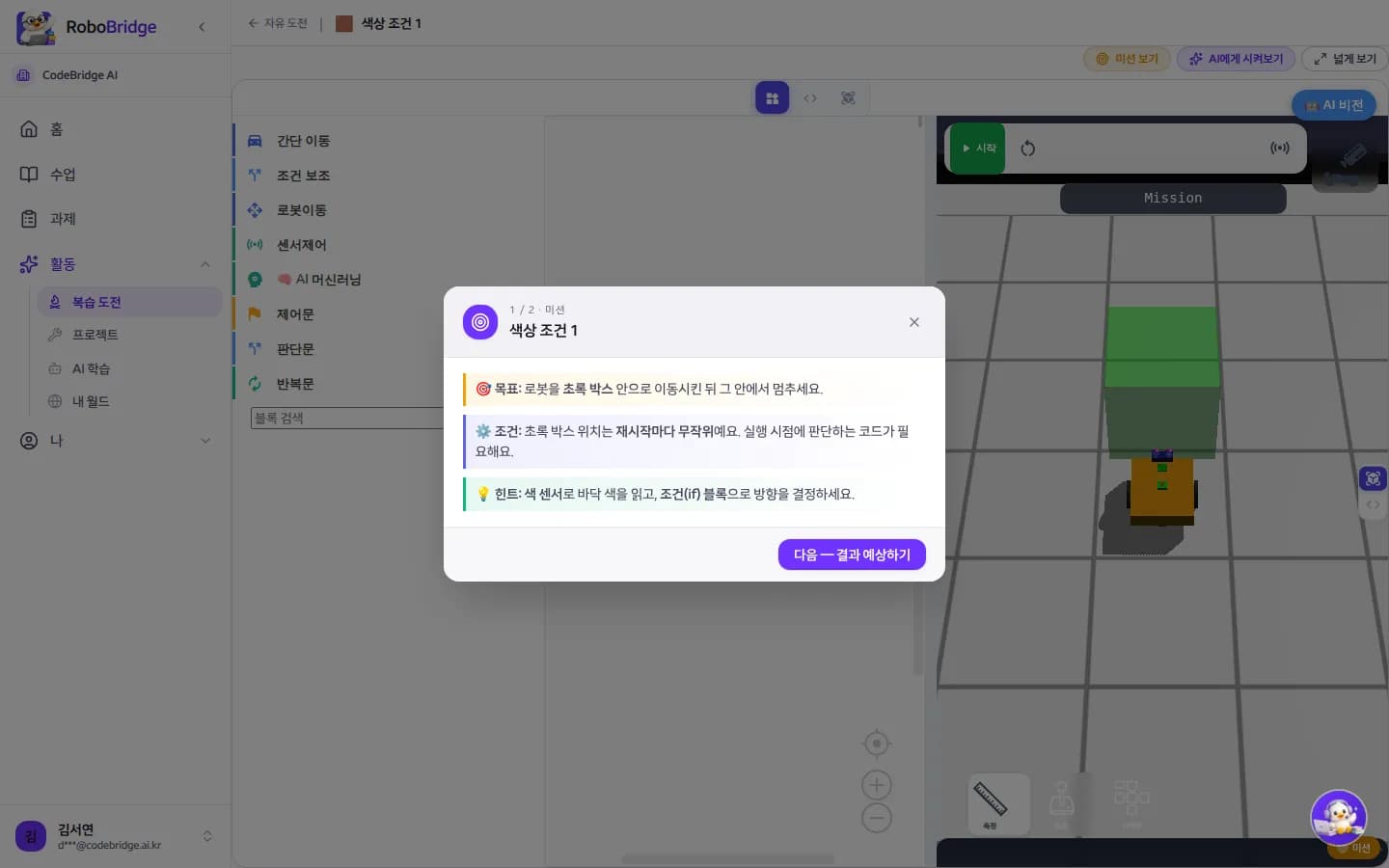
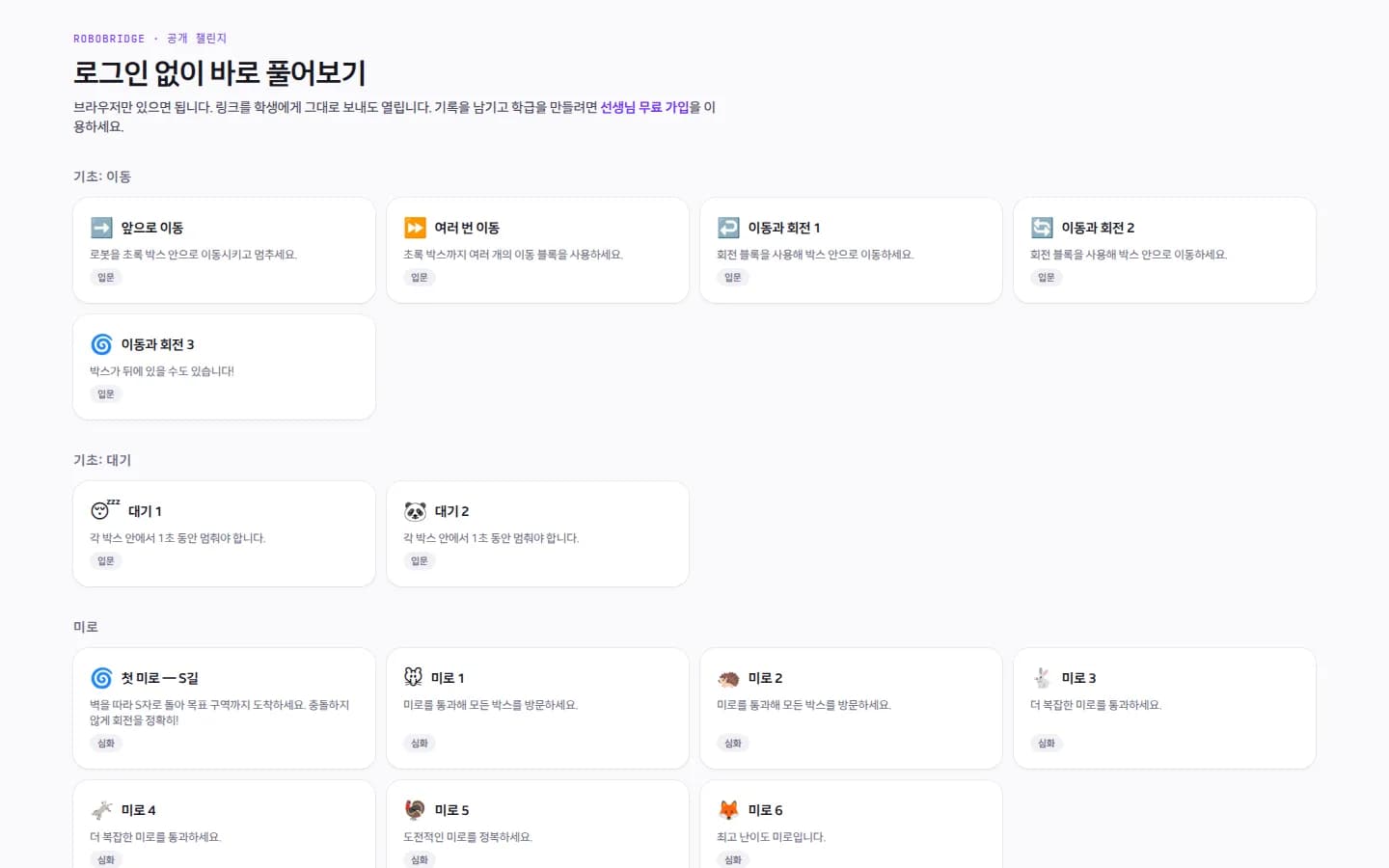
Read the mission, predict, run
Each challenge shows goal, conditions and a hint first, then asks for a prediction before running.
- Randomised conditions solved with one program
- Blocks and Python both ways
A 3D robot simulator, an AI tutor and classroom tools in one screen. One teacher account, starting today.
Preparation, delivery, assessment and records in one flow. Every image below was captured as-is from a demo class (20 students).
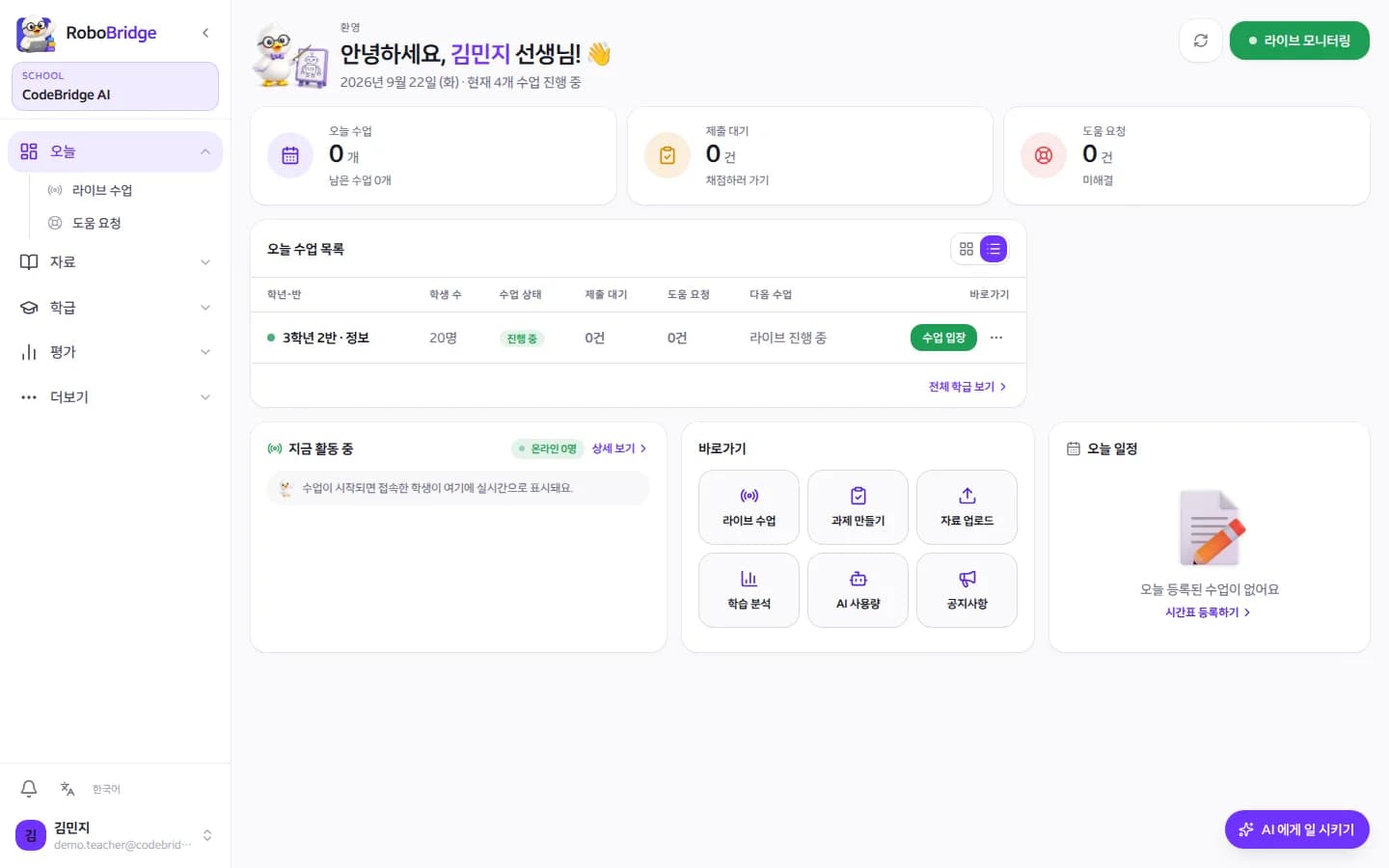
The teacher home surfaces today's classes, pending grading and help requests first.
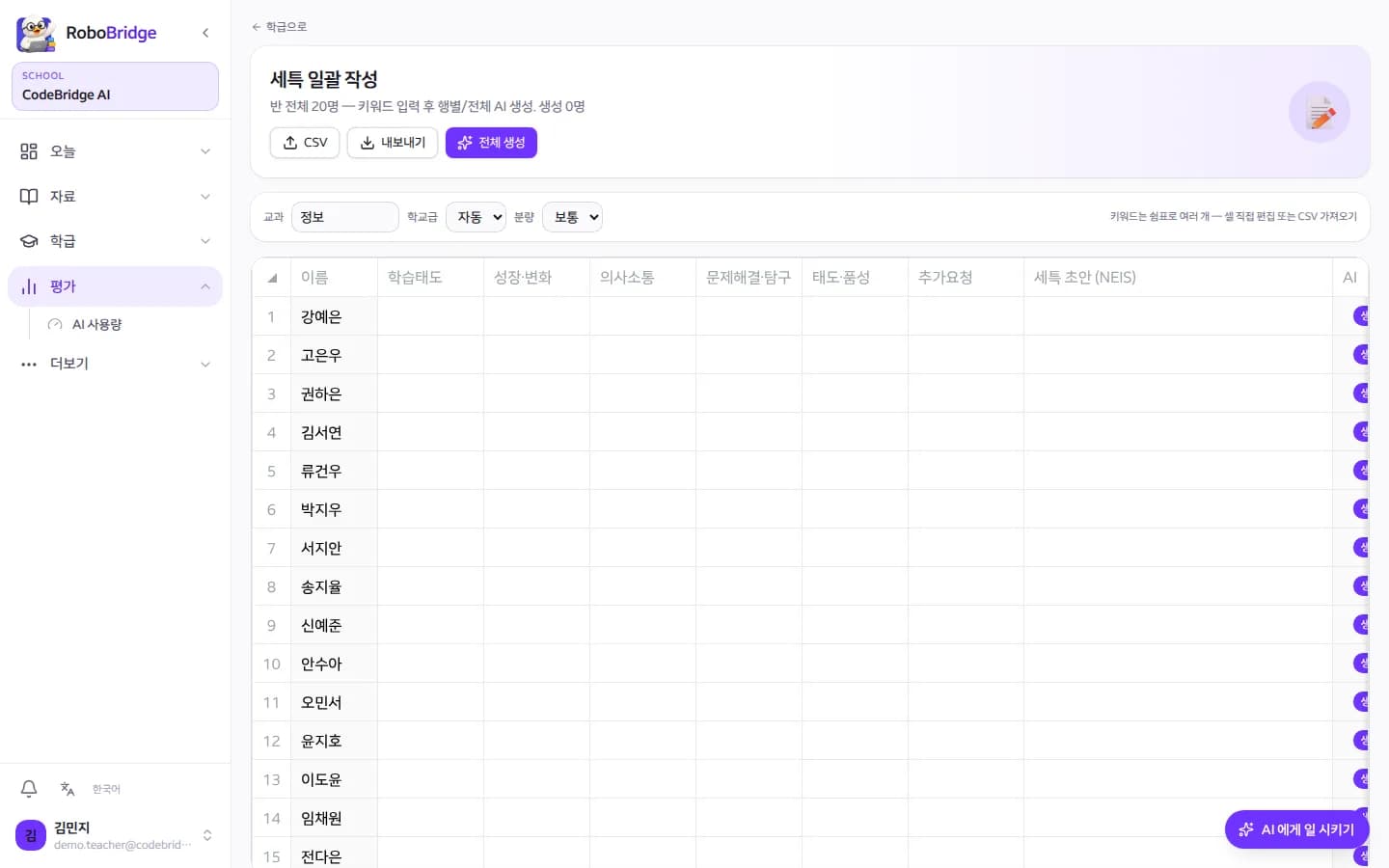
Enter evidence keywords per student and get a record draft you can edit in NEIS format.
The class dashboard shows invite codes, active students, grading queue, help requests, distributed materials and attendance.
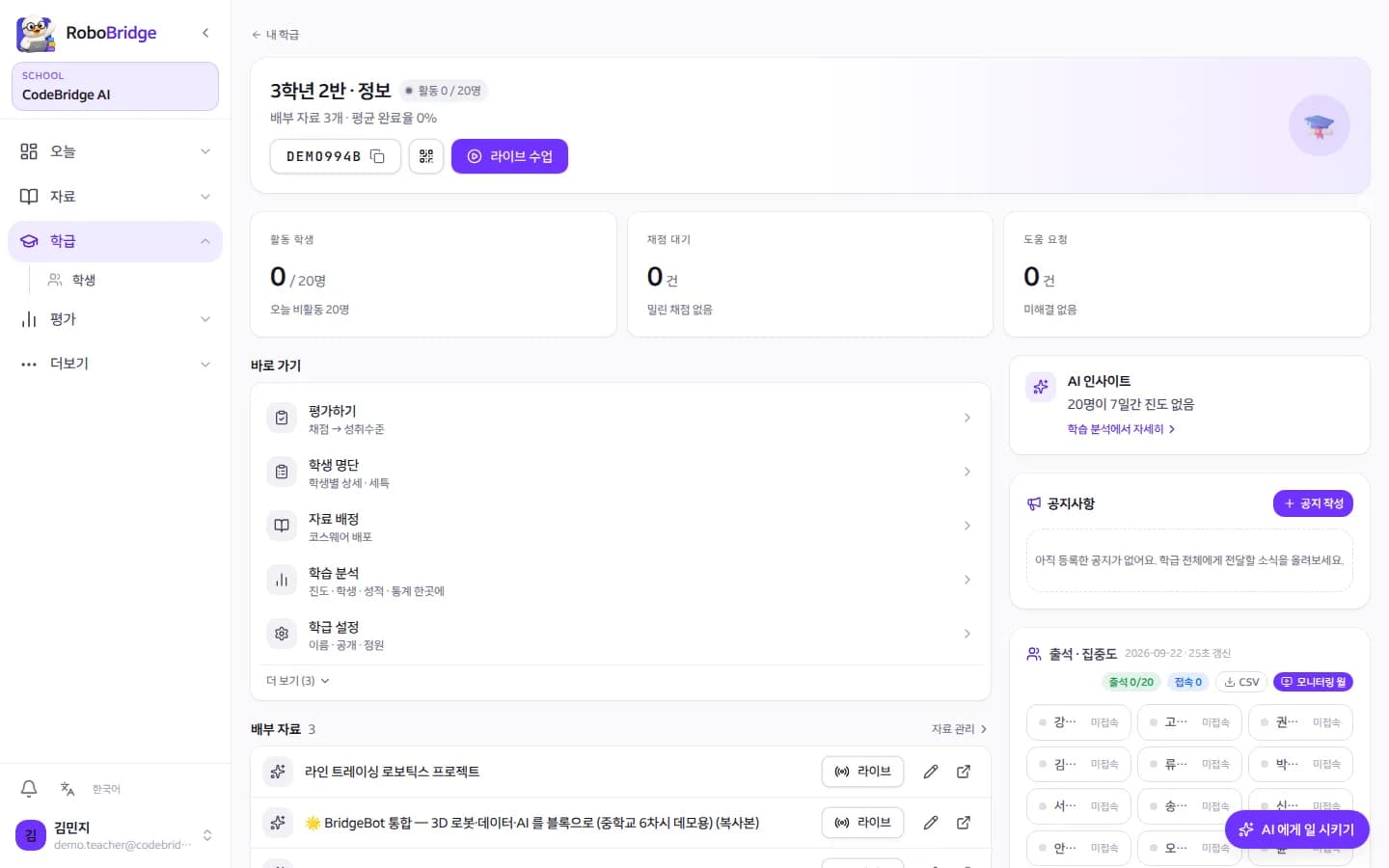
Pick a courseware and start; student screens follow the same page automatically.
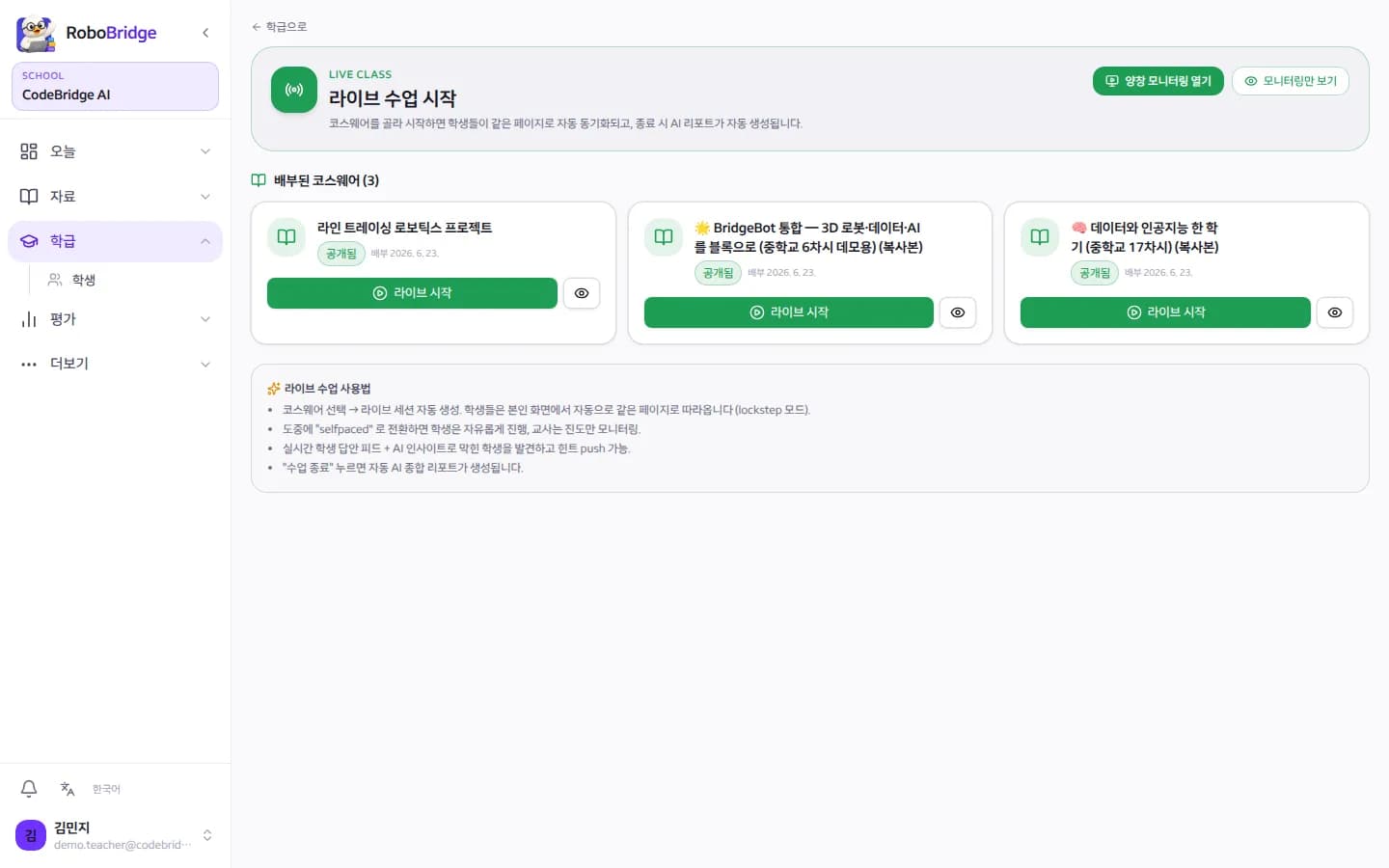
Preview standards-mapped official courseware and distribute it to a class.
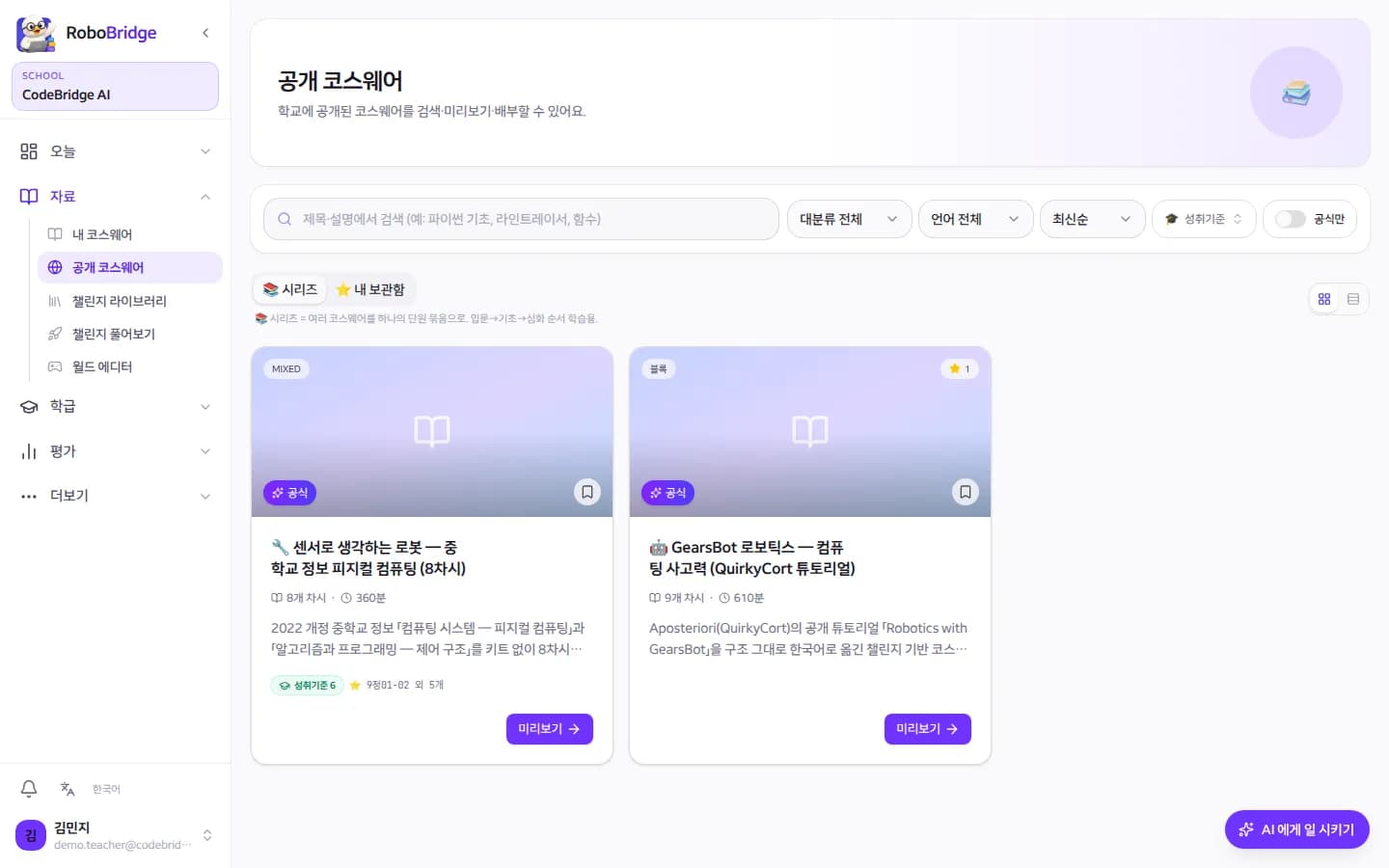
Choose a standard to see linked challenges, model solutions and teaching notes.
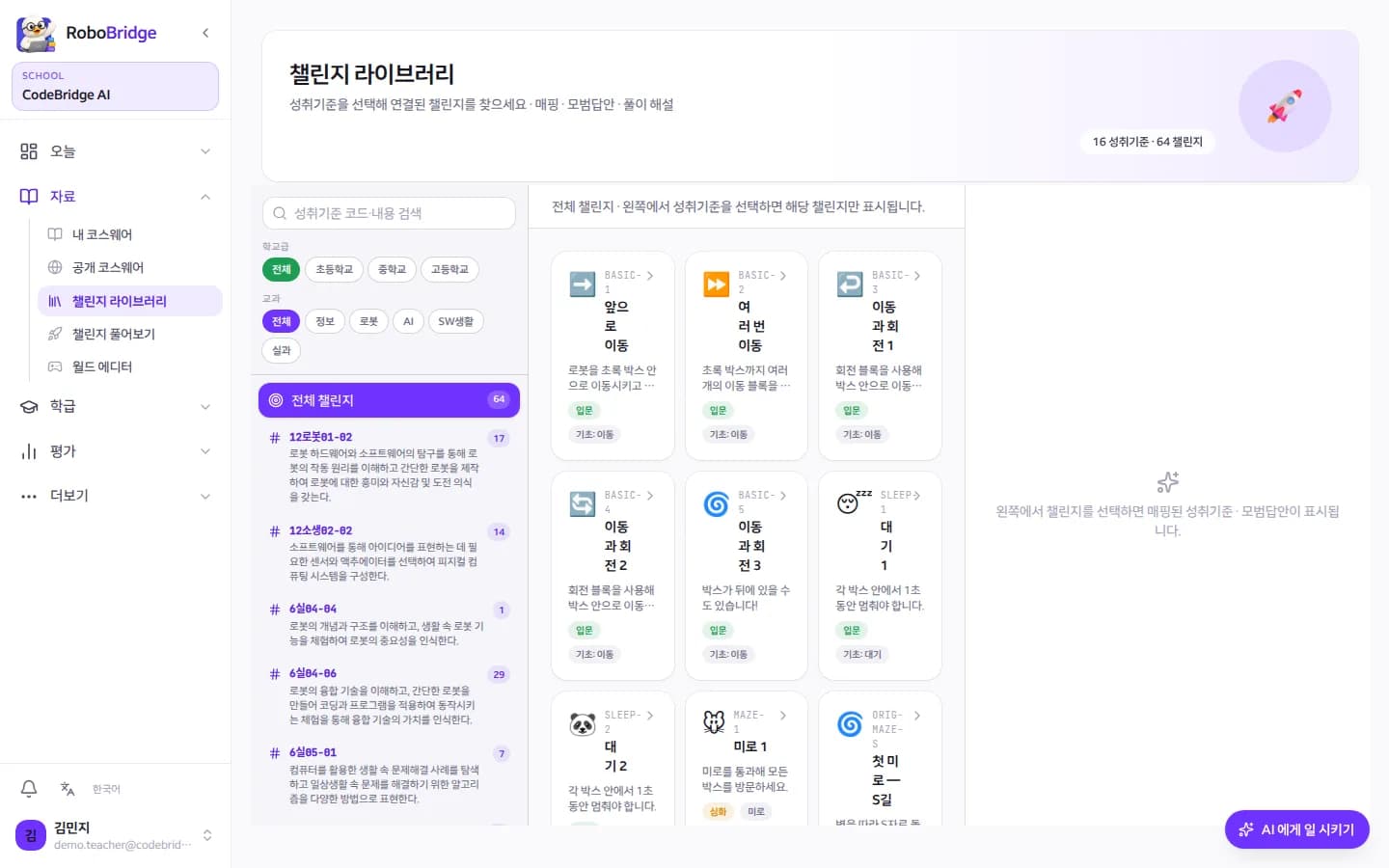
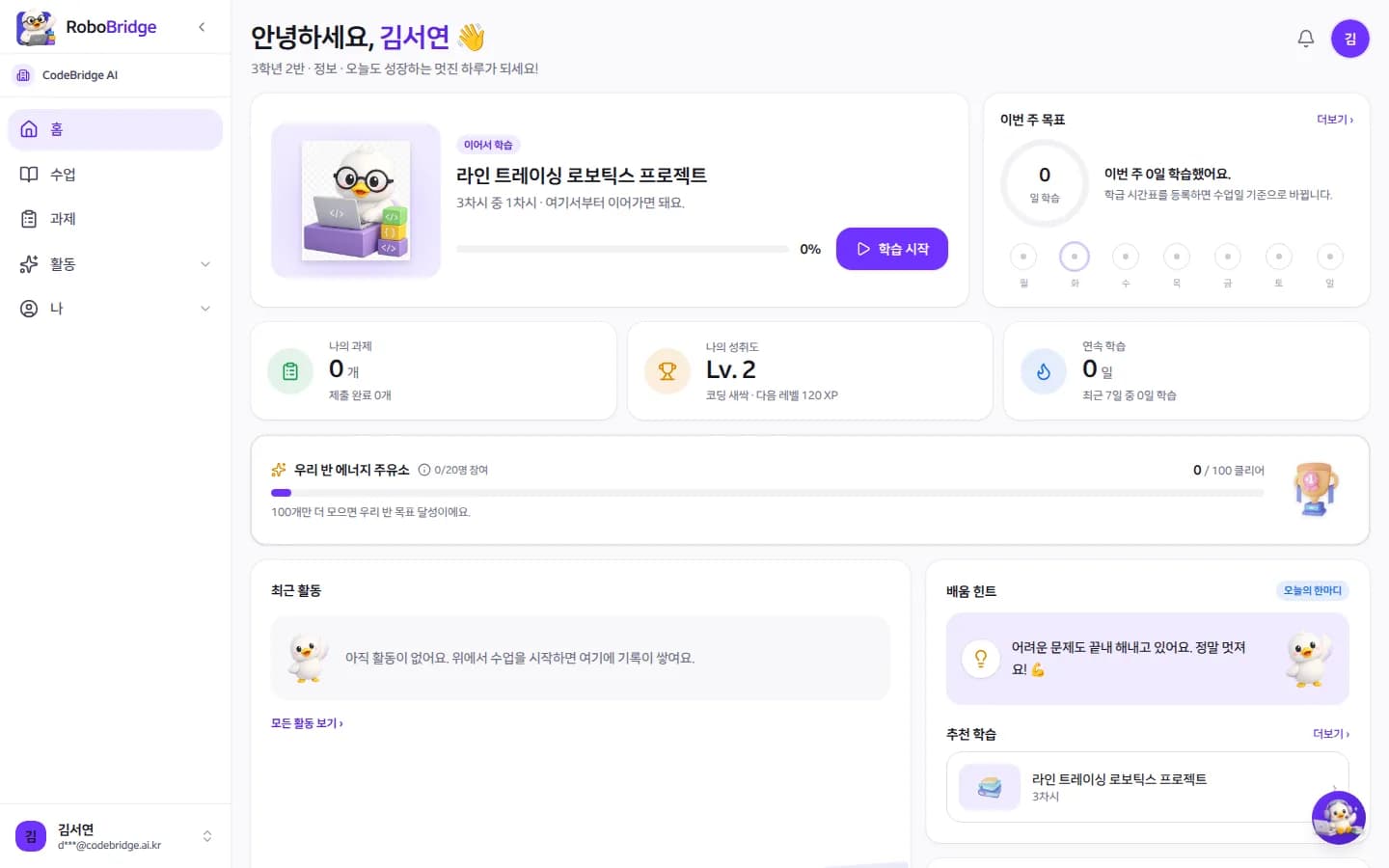
Resume from home, retry challenges without fear, and watch growth accumulate.
Each challenge shows goal, conditions and a hint first, then asks for a prediction before running.
The student home puts the last lesson on top.
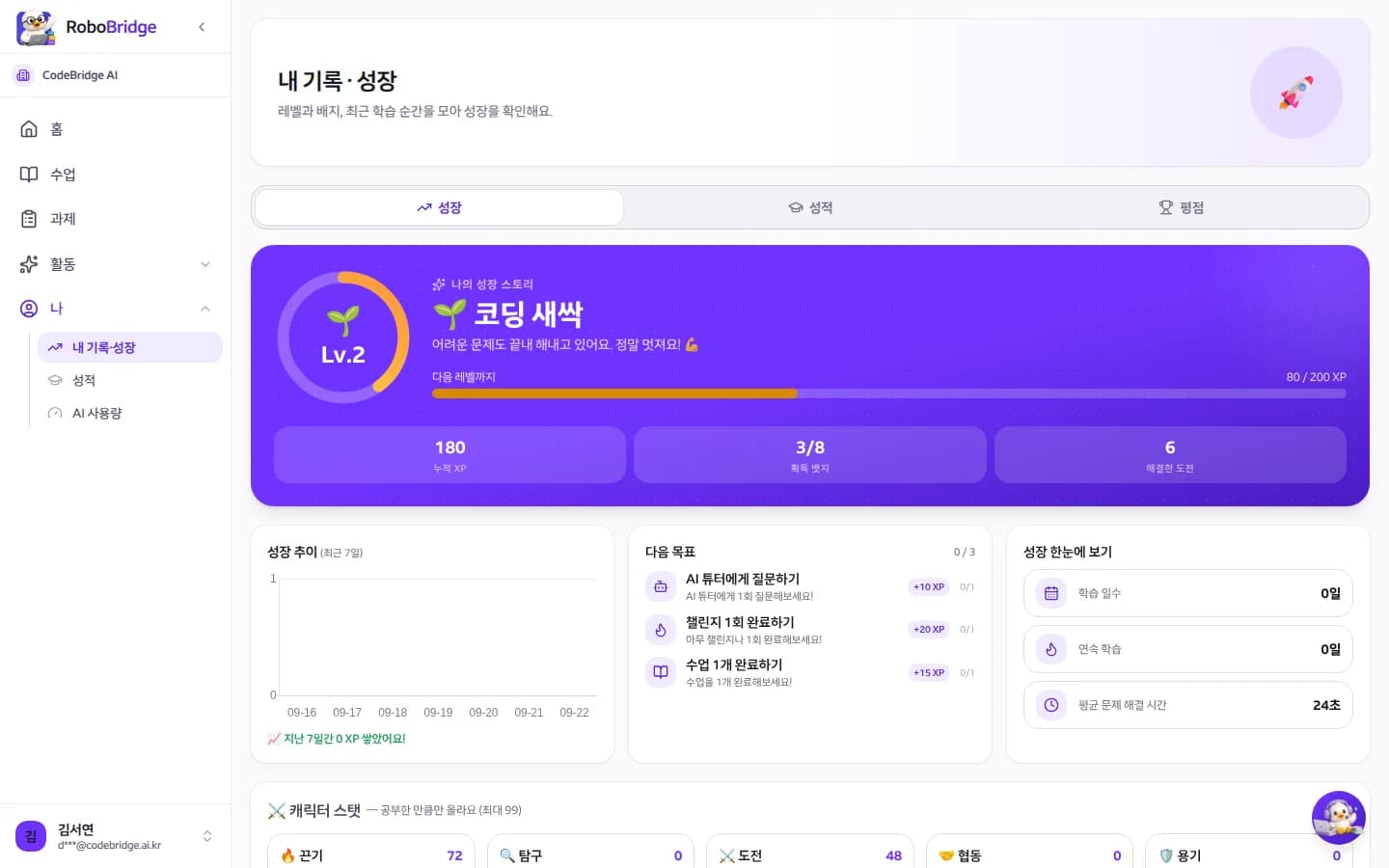
Level, badges, solved challenges and next goals in the student's own words.
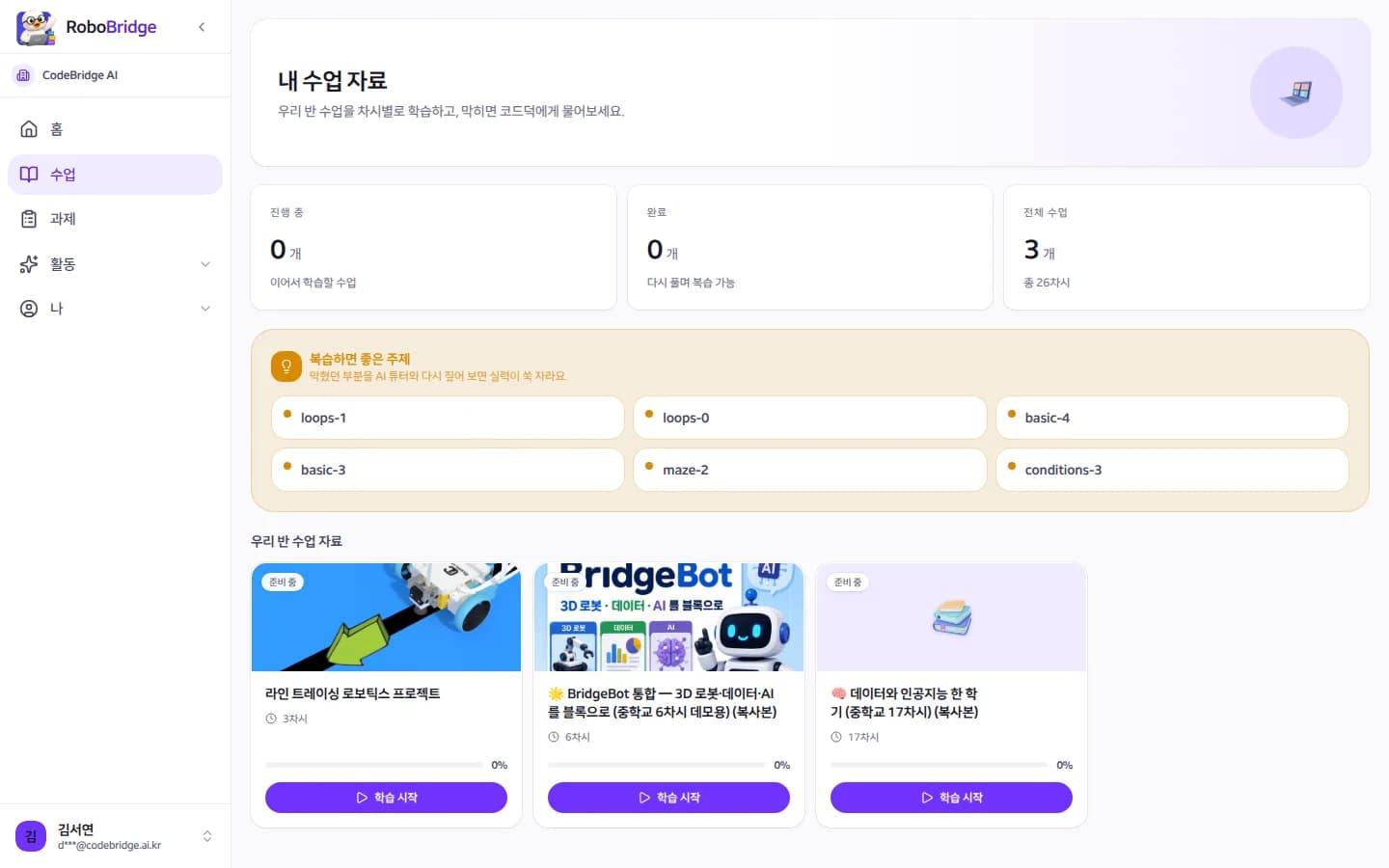
Work through assigned courseware lesson by lesson and get topics worth reviewing.

Coduck is Robovia's AI tutor. It reads the student's code, current sensor values and robot position, then asks what to check next instead of handing over the answer.
Student: My robot keeps hitting the wall.
Coduck: Shall we print what the ultrasonic sensor is reading right now?
Student: It says 12 cm but it still drives forward.
Coduck: Nice! So under what condition does your stop block run?
Each lesson pairs a concept with a simulation or challenge, a taste of Python and a formative quiz, all linked to standards and rubrics.
Input-process-output → motors → ultrasonic → conditions → loops and line following → nested control → system design → project.
Decomposition, pattern recognition, abstraction and algorithm design through maze, dungeon, loop and condition challenges.
Kits still fit: practise at home in the simulator, verify at school on real hardware.
| Kit classroom | Robovia | |
|---|---|---|
| Practice ratio | 1:2–1:3 (groups) | 1:1 (a virtual robot per student) |
| Breakage or loss | A whole group stops | None, retry instantly |
| Home practice | Kits rarely leave school | One link, anywhere |
| Evidence for standards | Teacher observes and logs by hand | Auto-mapped per lesson → record draft |
| Grading reproducibility | Varies by unit | Same code, same result |
| Non-teaching load | Batteries, storage, repairs | None |
A single teacher can start without school approval.
Email and password only. No school code, no approval.
Share an invite code or QR; students self-enrol. Chrome is all they need.
Import official courseware, distribute it and start a live lesson. Pull record drafts at term end.
Yes. The 3D simulator follows the official LEGO EV3 and Pybricks APIs, so code written here also runs on real EV3 or SPIKE hardware. Besides blocks and Python, students can also code in MicroPython. Physical-computing units (sensors, actuators, control structures) run entirely kit-free.
Yes. One teacher account runs one class of 30 students free, including the simulator, challenges, public courseware, the AI tutor (daily cap) and live lesson mode. Record drafts are free for one semester after signup.
A school license adds unlimited classes and teachers, an admin console, record drafts, AI grading and school reports. Pricing is quoted by size and we prepare the paperwork your school needs.
Each official lesson is mapped to middle-school informatics standards and 64 challenges are linked to 13 elementary-to-high-school standards (checked against the official text), ready to cite in lesson and assessment plans.
Teachers enter evidence keywords per student; the AI drafts a record which the teacher reviews and edits in NEIS format. It organises evidence. It does not write answers for students.
No. Coduck looks at the student's current sensor values and robot position and helps with questions and staged hints. It never hands over solution code.
Data is stored separately per school and is not visible to other schools. The AI sees students as numbers, never names; names appear only on the teacher's screen. Phone numbers or emails inside student-typed text are masked before they reach the AI. Learning-record collection is switched on by the school administrator with consent settings.
Yes, with the same features. Start with one class and scale by headcount; contracts follow the institution type.
Sign up with an email and password. Decide on a school license after trying it with your own class.